The No AI, No Brainrot, No Modern Bloat code editor
(just a plain, old-school, and retro, C/C++ code editor)

Integrated Debugger
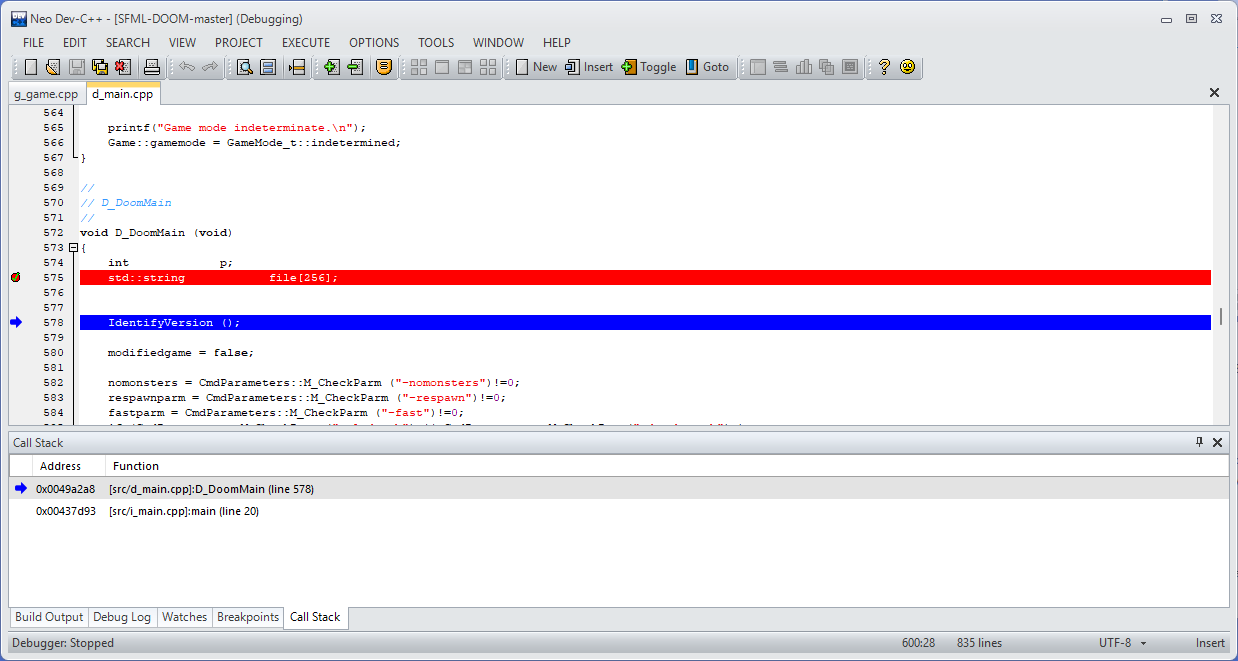
Neo has integrated support for the GDB debugger.
You can set breakpoints, add and remove watches for variables and objects, inspect and evaluate variables and complex objects during breakpoints, follow up call stacks and jump between frames at any time. Step into, step over, step out.
Breakpoints and watches are also kept between sessions as Neo has support for project and user configuration files.
C/C++ Parser
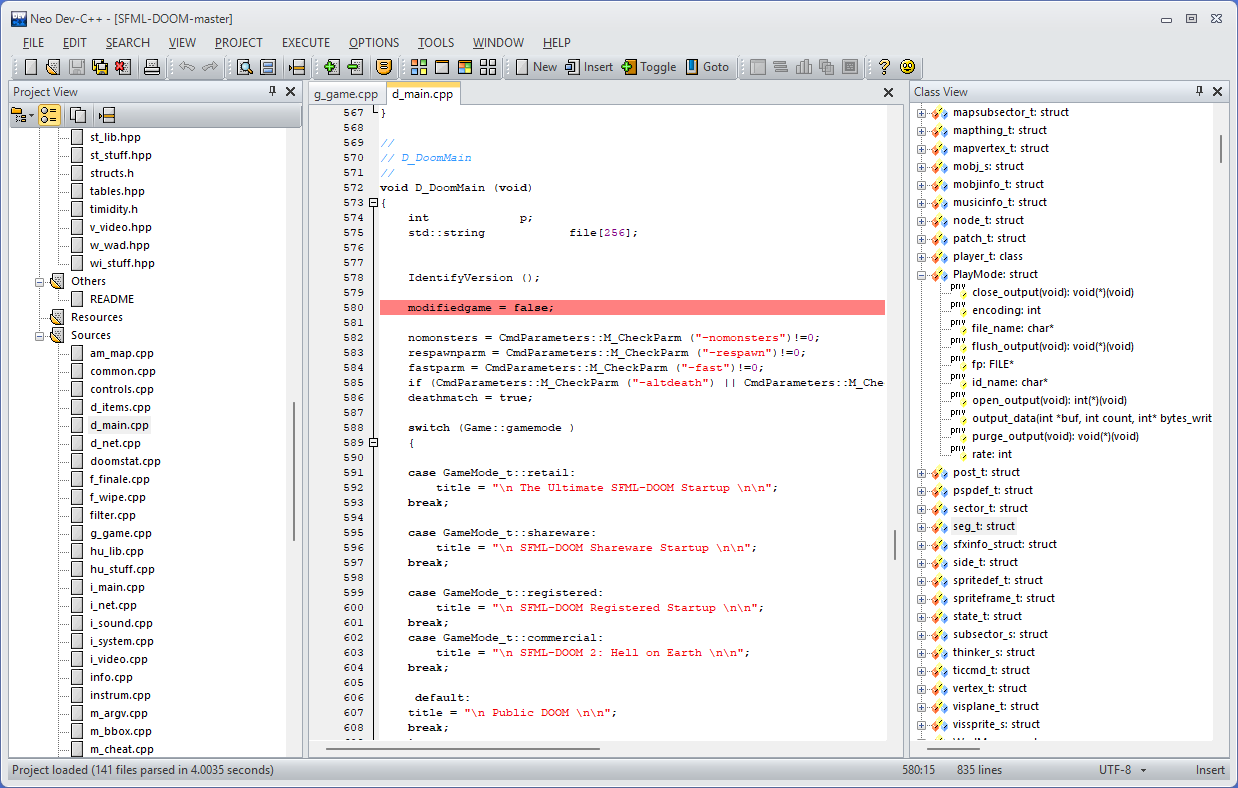
Neo has a built-in parser for the C/C++ language (supporting C++11).
The ClassView window shows functions and methods, arguments and return types, inheritance, and visual glyphs for public, protected and private members for classes and types.
Includes support for constructors, destructors (~), structs, typedefs, unions and multiple inheritance.
Parser also maps headers from projects files and system files (compiler and external libraries).
Features
-

Code Formatting
Styles your code to improve readability and consistency by adjusting indentation, spacing, and other elements
-

Editor Themes
Choose from several editor themes, from the old-but-gold ’80s classics to modern styles
-

External Tools
Integration of external tools into its environment, providing quick access to applications or scripts outside Neo
-

Project Templates
Project templates designed to provide a starting point for various application types and development scenarios
-

Import
Import project files from other IDEs and from the file system (auto discovery)
-

Integrated Debugger
Integrated debugger (GDB) with breakpoints, variable inspects, watches, stackframes
Oldie is goldie
Made with ❤️. From Canada 🇨🇦